
Fill your tee sheet without giving it away.
Your own booking page and pro-shop dashboard — without trading tee times for exposure.
See exactly what you’re signing up for.
Real screens from the software — not mockups.
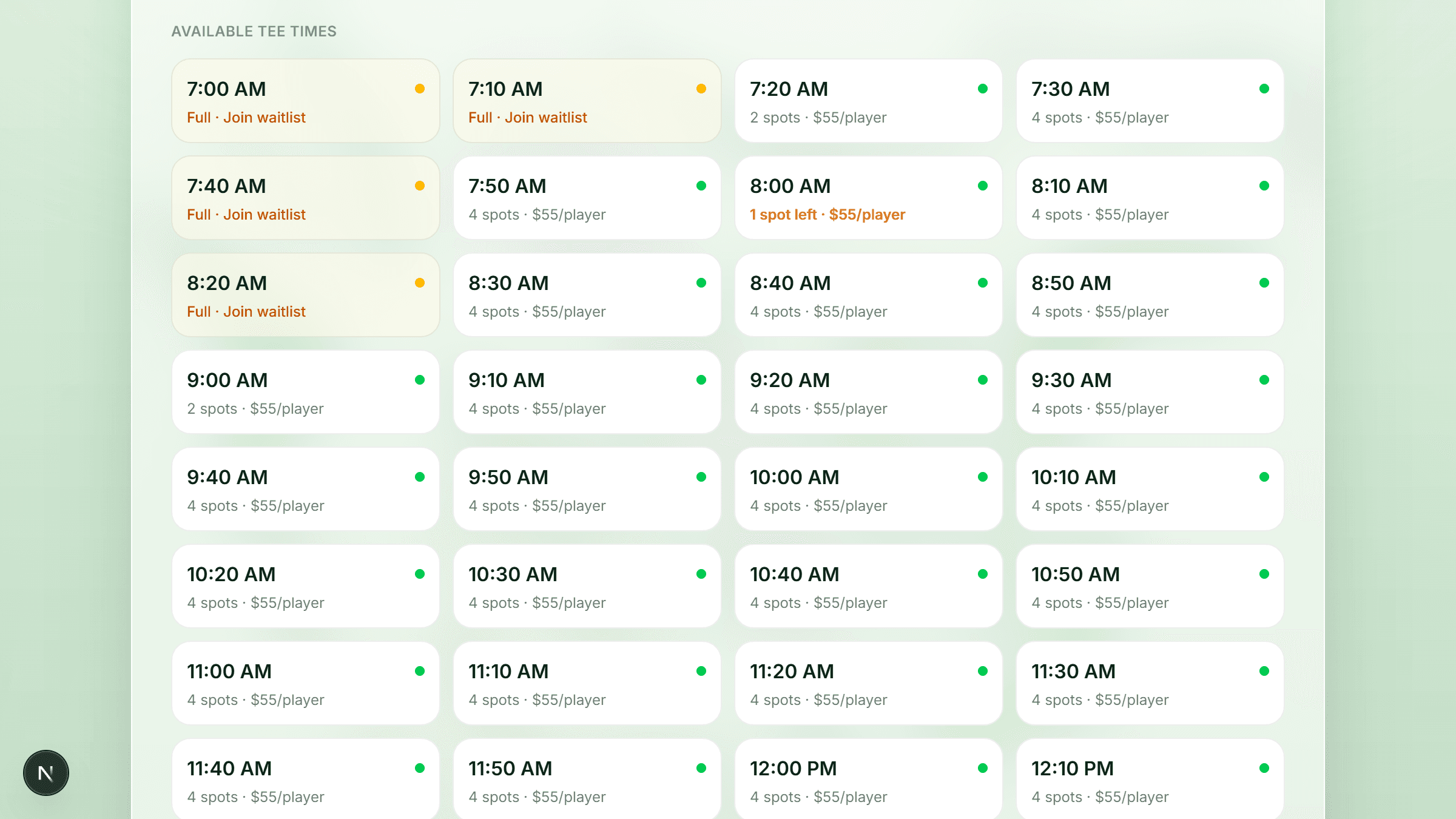
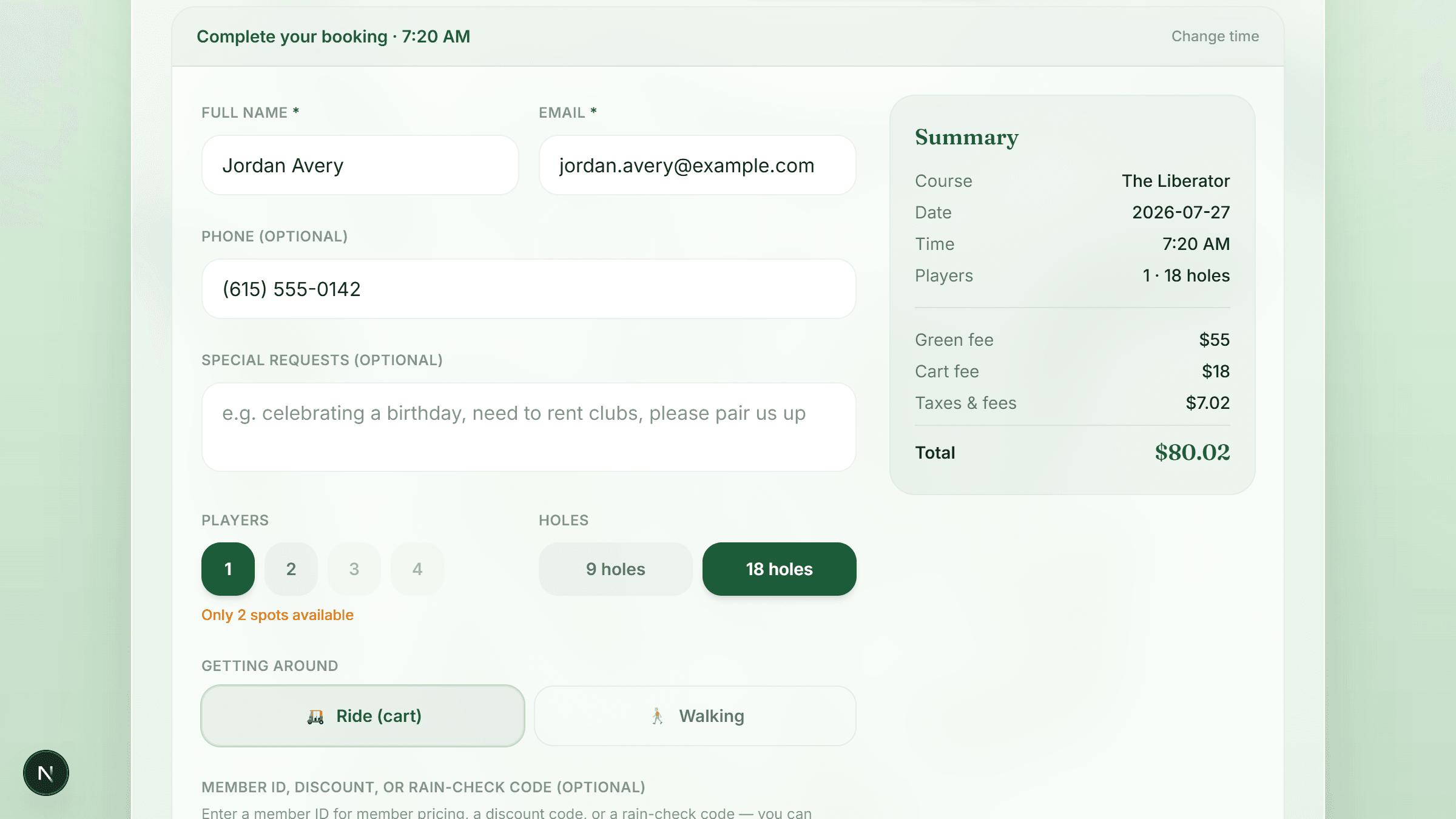
Your live tee sheet, open to golfers 24/7
Real availability and your real prices, updating as the day fills. Sold-out times turn into a waitlist instead of a lost golfer, and "1 spot left" does the selling for you.
- The phone rings while there is a line at the counter.
- A booking site takes tee times as payment for exposure.
- Golfers book through a brand that isn't yours.
- Cash, cards, and a spreadsheet get reconciled after close.
- ✓Golfers book themselves, at 11pm, without calling.
- ✓You keep every tee time. Nothing is bartered.
- ✓Your name is on the whole experience.
- ✓Online, walk-in, and counter sales land in one ledger.
Live in three steps.
No implementation project, no data migration, no six-week onboarding call series.
Tell us about your course. We review and approve — usually the same day, not in six weeks.
Enter your green fees, cart fees, and tee-time intervals, then connect Stripe in a couple of clicks.
Point your website's booking button at your new page. Golfers book and pay; the money routes itself.
The money goes to you, not through us.
Every booking is a Stripe payment into your own connected account — we never hold your revenue. Sales tax is tracked separately, so you always know what you owe.
One system for the whole operation.
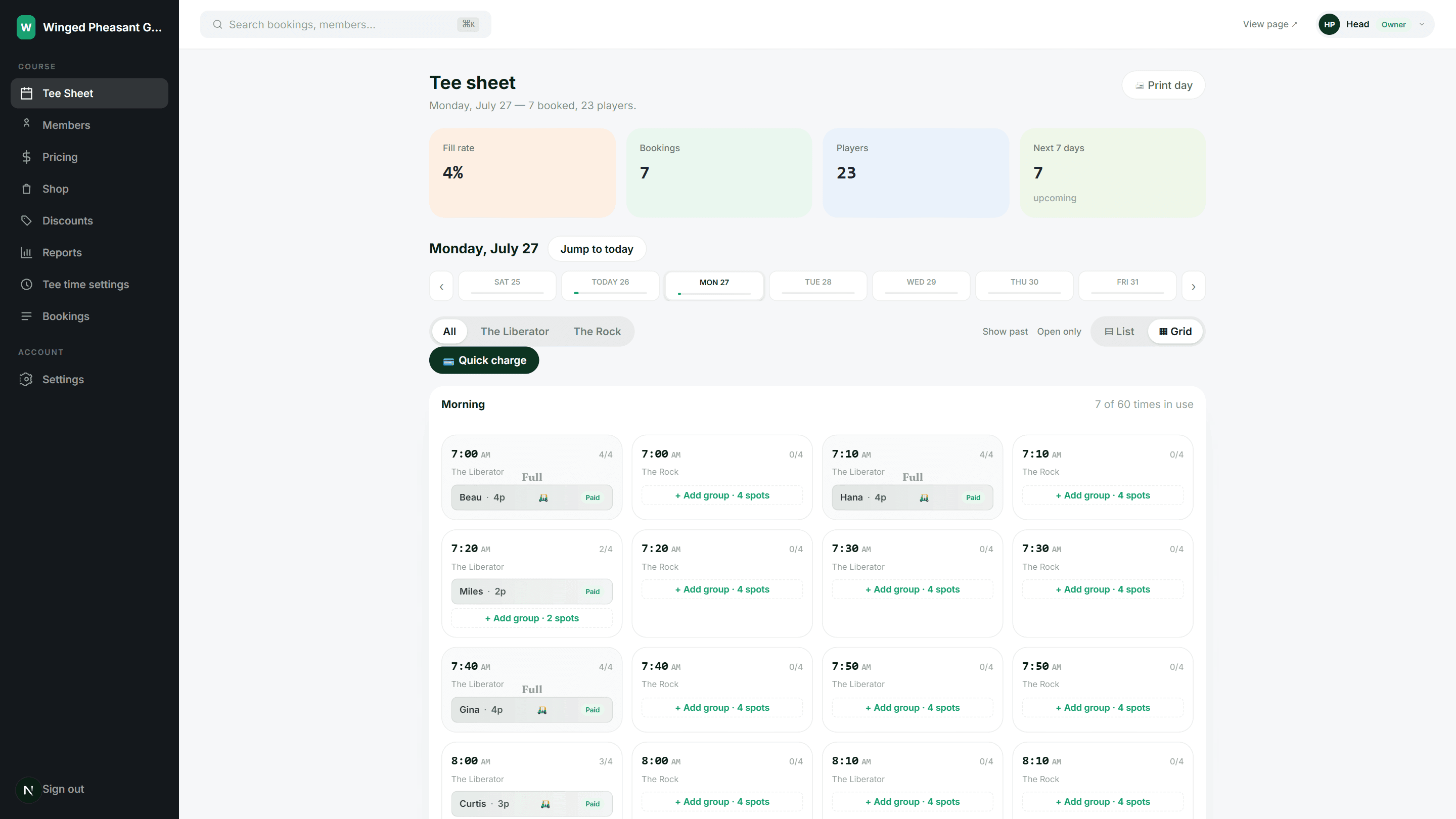
Every group, paid status, and open spot on one screen.
Add a group at the counter in seconds — same ledger as online.
Cash or card, split by player, with pro-shop items on the same ticket.
Member pricing, discount codes, and credits applied at checkout.
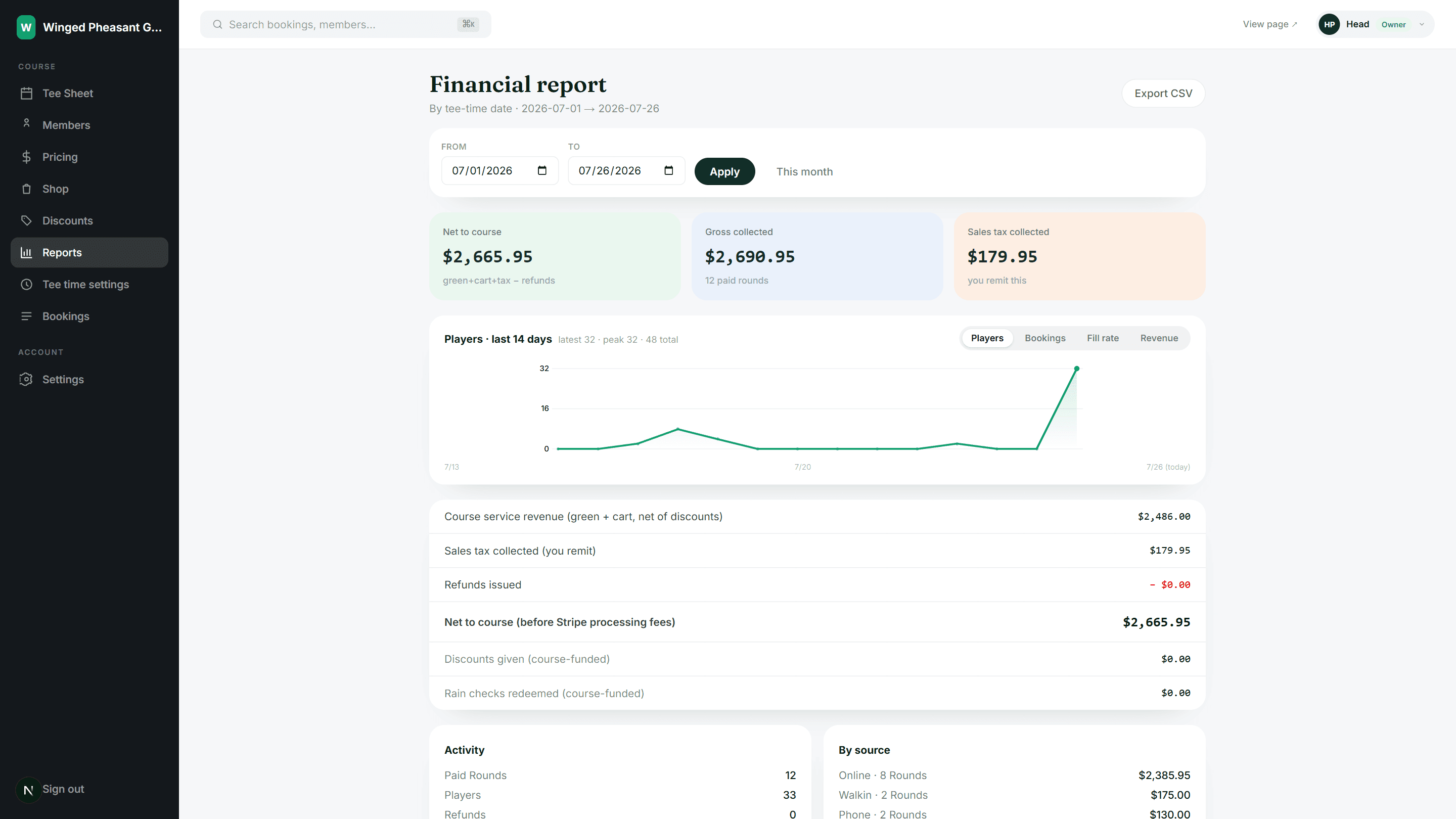
Net, gross, and sales tax owed — split by booking source.
Any browser, any device. A card reader is optional.
The things courses ask first.
Do I have to give up tee times to be listed?+
No. LinxTimes is software you run, not a marketplace you sell into. You never barter inventory, and we never resell your tee times. Every round is booked on your page, under your name, at your price.
Who owns the golfer relationship?+
You do. Golfers book on your branded page, and the name, email, and phone on every booking are yours. There is no LinxTimes account for a golfer to create and no competing course shown next to yours.
How and when do I get paid?+
Payments run through Stripe straight into your own connected Stripe account — we never hold your money in between. Payouts follow your normal Stripe schedule, so the money is on its way before the group finishes the front nine.
What about walk-ins, phone calls, and members?+
All handled on the tee sheet. Staff can add a walk-in group, take cash or card at the counter, look up a member for member pricing, sell pro-shop items on the same ticket, and edit or cancel any booking.
Do I need to buy new hardware?+
No. The dashboard runs in any browser on the desktop, tablet, or phone you already have. A Stripe card reader is optional and only needed if you want to take chip and tap payments at the counter.
Can I keep my current website?+
Yes. Most courses keep their site and point their "Book a tee time" button at their LinxTimes page. Nothing else about your site has to change.
What happens when someone cancels?+
You set the window and any cancellation fee. Inside those rules the refund is issued automatically and the spot goes straight back on the tee sheet — no phone call, no manual refund in Stripe.
How long does setup take?+
Most courses are live the same day. You set your rates and tee-time intervals, connect Stripe, and we check that everything is configured before your page goes public.
Your tee sheet is worth more than exposure.
Get a booking page your course actually owns — and see the whole day, and the whole ledger, on one screen.
© 2026 LinxTimes · Powered by Stripe · admin